Microsites vs PDFs: Why Static Brochures Lose the Sale
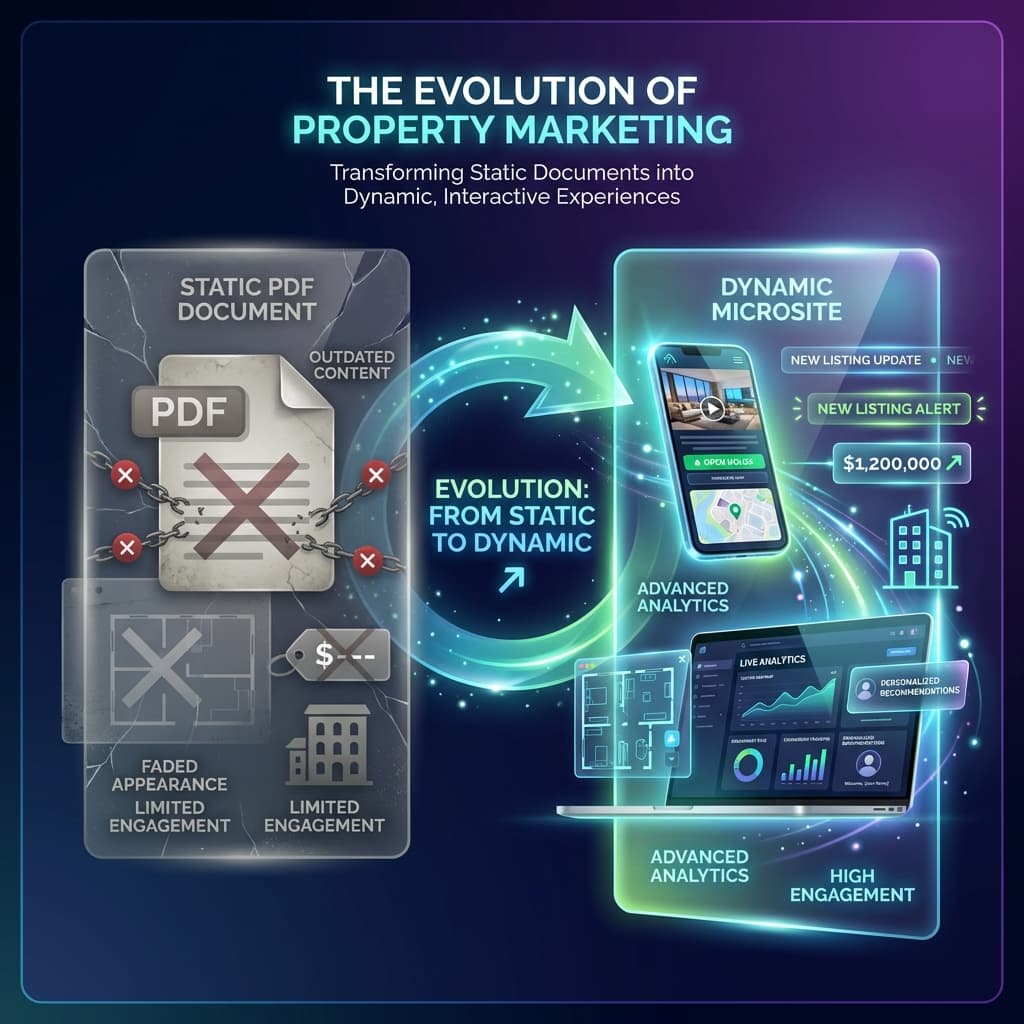
PDF brochures become invisible the moment you hit send. Property microsites track every section visit, every revisit, and every shared link, and route those signals to your sales team before the buyer calls a competitor. This post explains the operational difference and what it costs to keep sharing static files.
Bharat runs sales for a residential developer in Visakhapatnam with two active projects: a waterfront mid-rise and a township on the outskirts of the city. In February he was nine days into a follow-up sequence with a buyer named Suresh, a software engineer who had visited the site office once, liked the 2 BHK layout, and gone quiet. Bharat’s team had sent the PDF brochure on WhatsApp, called twice, and left a voice note about the payment plan. On the tenth day, Suresh booked a flat in a competing project two kilometers away. When Bharat asked what happened, Suresh said he had gone back to look at the payment plan comparison the night before he decided, felt the other developer’s terms were clearer, and booked the next morning. Bharat’s team had sent that same payment-plan PDF. They had no idea Suresh had revisited it at 11 pm. The buyer was deep in evaluation mode. The sales team was sending follow-up nudges into a void.
That situation is not a failure of effort or intent. Bharat’s team worked the lead correctly by almost every standard playbook. The failure is structural: the PDF brochure was the wrong instrument for a job that requires live feedback. When you share a PDF, you are handing over a file and then waiting for the buyer to surface. Everything that happens in between, every section they read, every time they return to it, every family member they forward it to, is completely invisible to your team. That invisibility is not a minor inconvenience. For high-consideration purchases like property, that invisibility is where deals are lost.
What is the Inert Packet Problem in property sales?
The Inert Packet Problem is the operational failure that occurs the moment a PDF leaves your system and becomes a static, unresponsive object in the buyer’s world. The packet is inert because it carries no feedback mechanism. It cannot tell you whether it was opened, which section got the most attention, whether the buyer shared it with their spouse, or whether they returned to the pricing table at midnight after comparing two projects. It just sits there. And while it sits there, the buyer is actively forming a preference, asking questions internally, and either moving toward your project or away from it.
The Inert Packet Problem compounds as pipeline volume grows. If Bharat’s team has 60 active leads in a given month and sends each one a PDF brochure, there are 60 inert packets floating somewhere in WhatsApp galleries and email inboxes. Some of those buyers are reading the material carefully and are close to a decision. Some have not opened it once. From the outside, these two groups look identical. Bharat’s team must either call everyone with the same generic follow-up, wasting time on cold leads and annoying engaged ones, or they must guess who deserves priority based on call notes and gut feel. Neither approach scales, and neither is accurate.
- No section-level visibility: you cannot see whether the buyer spent three minutes on pricing or skipped straight to floor plans.
- No revisit signal: a buyer returning to the payment plan for the fourth time looks identical to someone who opened the file once.
- No forwarding detection: when a buyer shares the PDF with a parent or financial advisor, your team has no record of additional stakeholders entering the picture.
- No recency weighting: a buyer who reviewed the brochure last night ranks the same as one who glanced at it three weeks ago.
- No embedded next step: a PDF has no booking button, no site-visit scheduler, and no direct call link placed at the moment of peak interest.
- No live updates: if pricing or inventory changes after the PDF is sent, buyers who stored the file see outdated information with no flag.
What does a tracked property microsite actually do differently?
A property microsite is a dedicated, trackable web page built for a specific lead or a defined buyer segment. It carries the same content as a brochure: project overview, floor plans, pricing, payment schedule, location advantages, and legal documents. The difference is that every interaction generates a signal that flows back to the sales team in real time. When a buyer opens the pricing section at 11 pm, the assigned rep receives an alert: which section, how long, how many total visits. That alert turns an anonymous period of private evaluation into a visible, actionable moment. Bharat’s rep could have sent Suresh a WhatsApp at 9 am the next morning referencing the payment plan specifically. The buyer would have felt understood. The rep would have been calling at the exact moment of peak consideration.
Microsites also solve the multi-stakeholder problem that PDFs ignore entirely. In Indian real estate, the buying decision almost always involves at least two people: a spouse, a parent, a sibling, or a financial advisor. When a buyer forwards a PDF to their family, that forwarding event is invisible. When a buyer shares a microsite link, each person who opens it registers as a separate session. The sales team can see that four people from the same household opened the floor plan and two of them spent time on the school-proximity section. That cluster of concurrent engagement is one of the strongest purchase signals a sales team can observe, and it is completely unavailable through PDF sharing.
The contrarian read on this is worth naming directly: some teams argue that tracking buyer behavior feels intrusive and that buyers do not want to be watched. In practice, most Indian property buyers receive generic, poorly-timed follow-up calls and experience that as far more intrusive than a call that references something they genuinely spent time on. The rep who says "I noticed you were looking at the 3 BHK payment plan" gets a warmer response than the rep who calls on a Tuesday afternoon with no context and asks "sir, did you receive our brochure?" Relevance reduces friction. Tracking enables relevance. The discomfort is not with the tracking itself. It is with bad follow-up, and microsites replace the bad follow-up with good ones.
Which anti-patterns make the PDF habit hard to break?
Three anti-patterns keep real estate sales teams stuck on PDFs even when they know the limitations. The first is the WhatsApp broadcast reflex. Most Indian developer sales teams have invested months or years building broadcast lists on WhatsApp. Sending a PDF to 500 numbers in 30 seconds feels productive. The read receipts create the appearance of engagement data. In reality, two blue ticks tell you only that the message was delivered and opened. They tell you nothing about whether the buyer read the pricing section, whether they shared it, or whether they came back. The broadcast reflex substitutes volume for insight.
The second anti-pattern is the beautiful PDF trap. Many developers commission expensive, design-heavy brochures that are genuinely impressive as objects. The creative investment creates organizational attachment to the format. Suggesting that the PDF should be replaced can feel like suggesting the design investment was wasted. It was not wasted: the same visual content, the same floor plan renders, the same photography, all transfer directly to a microsite. The medium changes. The content does not. Teams that understand this transition faster.
The third anti-pattern is the CRM disconnect. Even teams that use a CRM often treat the PDF send as the end of a task, logging "brochure sent" and waiting for inbound response. A microsite integrates with the CRM so that engagement events, each section visit, each revisit, each new device session, write directly back to the lead record. The sales manager reviewing the pipeline sees not just call history but engagement depth. That visibility changes how managers prioritize deals and how they coach their reps.
File vs. signal surface
A PDF is a file your team controls until the moment it is sent. A property microsite is a signal surface your team owns for the entire duration of the buyer’s consideration period. The Inert Packet Problem ends the moment the link replaces the attachment.
How do microsite engagement signals reach the sales rep?
The routing of signals is what separates a microsite tool from a simple landing page. When a buyer interacts with a property microsite built on a platform like Brixi, the engagement data is processed against a set of rules the sales team defines in advance. A first open triggers a lightweight alert. A return visit to the pricing section within 48 hours triggers a higher-priority notification. Three visits in a week from the same lead triggers an escalation to the manager. These rules can be tuned based on what teams observe over time: in deployments we see, the revisit-to-pricing signal has a higher correlation with booking intent than raw time-on-page, which is why it gets its own trigger.
The notifications arrive in the CRM or directly on the rep’s phone as a WhatsApp or in-app message. The message includes the buyer’s name, which section they visited, how long they spent, and how many total sessions they have had. The rep does not need to log into a dashboard to get the insight. The insight arrives at the moment it is useful. For teams managing 40 to 80 active leads simultaneously, this routing removes the need to manually review engagement logs every morning. The system tells the rep who to call today and why.
What changes after a quarter of using property microsites instead of PDFs?
Teams that move from PDF sharing to tracked microsites consistently report three operational shifts within 60 to 90 days. The first shift is in pipeline review quality. Instead of ranking leads by how long they have been in the funnel or how many times the team called them, managers start ranking by engagement depth. A lead who opened the microsite once three weeks ago ranks below a lead who visited the floor plan twice this week, regardless of when either lead came in. This reduces the volume of wasted calls on cold leads and concentrates effort where it actually matters.
The second shift is in follow-up quality. When reps have context, their calls change. They reference specific sections, specific return visits, and specific moments the buyer signaled through behavior. Buyers respond differently to a rep who says "I saw you were looking at the corner unit floor plan" than to one who opens with a generic pitch. In deployments we see, the call-to-site-visit conversion rate improves within the first campaign cycle when reps have engagement data before they dial.
The third shift is in content improvement. PDFs are produced, sent, and forgotten. Microsites generate data on which sections get the most time and which get skipped. A team that notices buyers consistently spend the least time on the amenities section but the most time on the connectivity and commute section can restructure future campaigns around that preference. This is a feedback loop that simply does not exist in a PDF workflow. After two or three campaign cycles, the microsite content for a project is materially sharper than what the team started with.
Cold-lead triage also becomes faster. A lead who has not opened the microsite in 14 days and shows no engagement history can be moved to a longer nurture sequence without debate. A lead who opened the microsite once, shared it with a second device, and revisited pricing last night can be flagged for immediate follow-up. These decisions, which previously required manager judgment calls during weekly reviews, become systematic. Teams report that the weekly review meeting gets shorter and more focused because the data does the sorting work in advance.
Does offering a PDF download alongside the microsite undermine the tracking?
No, and most teams include a download option for buyers who request a physical copy or prefer to share with someone who finds files easier to store. The practical reality is that when you share the microsite link first, the majority of engagement happens through that link. The PDF download becomes a secondary artifact for a subset of buyers. The tracking covers the primary interaction channel, which is what matters for the sales team’s signal quality. Teams that try to run parallel campaigns, sharing PDFs to some leads and microsites to others, consistently find that the microsite group generates more actionable follow-up moments per lead, which confirms the tracking value rather than undermining it.
The live update advantage also remains even if some buyers download the PDF. When pricing changes or a unit is sold, the microsite reflects that immediately for every future visitor. Buyers who received the PDF continue to see outdated information unless the team sends a fresh file. In a market where pricing adjustments during a campaign are common, this difference alone creates meaningful operational risk when relying on PDFs.
The deeper bet: treating buyer attention as infrastructure
Bharat’s loss of Suresh was not about the product. The Visakhapatnam waterfront project was genuinely competitive. The payment plan was comparable. What the competing developer had, and Bharat’s team did not, was the ability to see Suresh’s evaluation moment and respond to it. That is not a small tactical edge. Over a full launch cycle with hundreds of leads, the team that can identify the 15 percent of leads who are actively evaluating at any given moment and reach them with relevant, context-aware follow-up will outperform on conversion regardless of whether their product is incrementally better or worse. The underlying bet is that buyer attention is a form of infrastructure. It is something to be built, maintained, and measured, not just earned once and forgotten.
Moving from PDFs to tracked property microsites is the most direct way to close the Inert Packet Problem and build that infrastructure. It does not require replacing your entire sales process. It requires replacing one habit: the attachment becomes a link, and the link becomes a signal surface. Every campaign after that runs with better data than the one before it. Bharat’s team can still send WhatsApp messages, still make calls, still run site visits. The microsite does not change what they do. It changes what they know before they do it.
Which of your current leads are privately evaluating right now?
Brixi replaces static PDF brochures with tracked property microsites that surface buyer engagement signals and route them to your sales team in real time.
See the Brixi buyer intent engineFrequently Asked Questions
Yes. You can include a download button inside the microsite for buyers who prefer a file. Most teams do this as a fallback for buyers who want to share with someone who stores documents locally. The key operational point is that the primary share is the microsite link, so the engagement tracking covers the majority of buyer interactions. The PDF becomes a secondary artifact for a subset of buyers, not the primary channel.
A microsite pulls from a live data source, so when your team updates pricing or marks a unit as sold, every buyer who opens the link from that point onward sees the current information. A PDF is static: once sent, it reflects whatever was true on the day it was generated. Teams that rely on PDFs frequently manage buyer confusion and credibility damage when prices shift during a campaign and some buyers are still holding outdated files.
In platforms like Brixi, signals are routed as alerts inside the CRM or as direct notifications to the assigned rep on WhatsApp or in-app. When a buyer revisits the pricing section or opens the microsite on a second device, the rep receives a timestamped message with context: which section, how long, how many total visits. The rep does not need to check a separate dashboard. The signal arrives at the moment it is actionable, which is what makes it useful rather than just informative.
The tracking is tied to the specific link shared with a specific lead, not to any personal browsing data outside your platform. The buyer has already consented to receive marketing communication by submitting their inquiry. Session-level engagement tracking on a page you sent them is standard practice, similar to how email open and click tracking works, and does not require additional consent in most jurisdictions. The more practical point is that buyers rarely object to tracking when it results in relevant, timely follow-up rather than generic call-center outreach.